KudashAI: Operasi
Agen Berdaulat
Konsol Kubernetes multi-klaster asli AI dengan agen Plan-Execute-Verify dan dukungan LLM lokal untuk operasi klaster perusahaan yang mengutamakan privasi.
Plan-Execute-Verify
KudashAI operates as a virtual SRE. Every cluster mutation follows a controlled three-phase workflow that keeps the operator in command.
Plan
Describe a task in plain text. The AI drafts a clear execution plan listing every Kubernetes mutation it intends to perform.
Execute
The plan is presented in the interface. No mutations occur until the operator clicks the confirmation button, maintaining full control.
Verify
Once authorized, the AI executes API calls, reads updated pod statuses, and reports the outcome with full audit detail.
Technical Sovereignty
High-performance infrastructure meets intelligent automation. KudashAI is built for the stringent requirements of global enterprise.
Privacy-First Local LLM
Fully compatible with local LLM runtimes including Ollama and LMStudio. Run AI models on-premise without sending cluster data to external APIs.
Cloud Integrations
Support for OpenAI, Anthropic, Gemini, DeepSeek, AWS Bedrock, and OpenRouter when cloud-hosted inference is preferred.
Cross-Platform Native
Native desktop application compiled via Wails (Go + Webview) with built-in auto-updaters for macOS, Linux, and Windows.
One-Click Tunneling
Securely connect local ports directly to in-cluster Kubernetes services with a single action from the console interface.
Embedded Terminal
Monaco YAML editor and xterm.js-based WebSocket terminals to execute container commands directly from the dashboard.
Enterprise Stack
Clean Radix UI and Tailwind CSS dashboard paired with a performant Go backend API server.
Wawasan Kubernetes Real-World
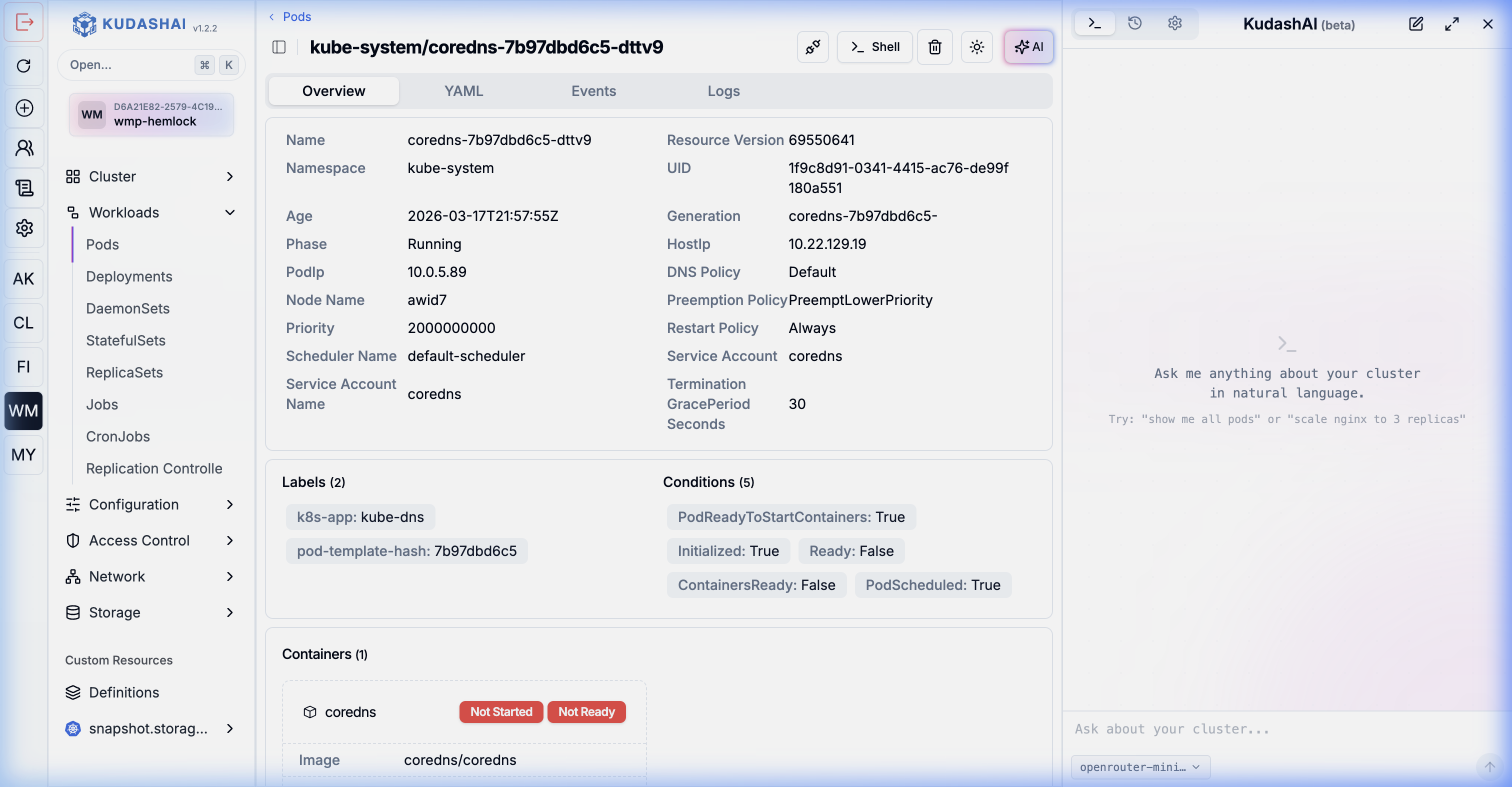
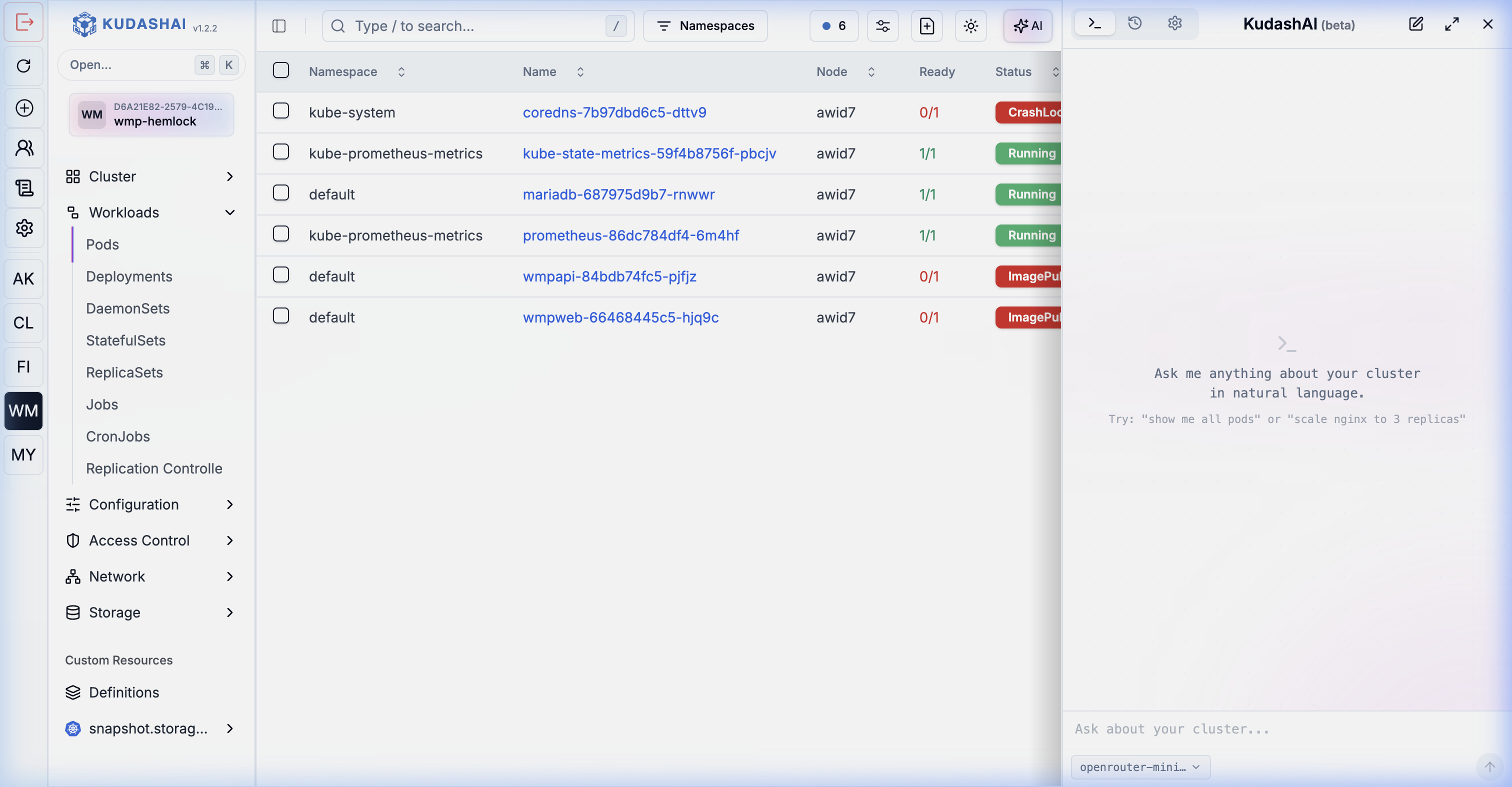
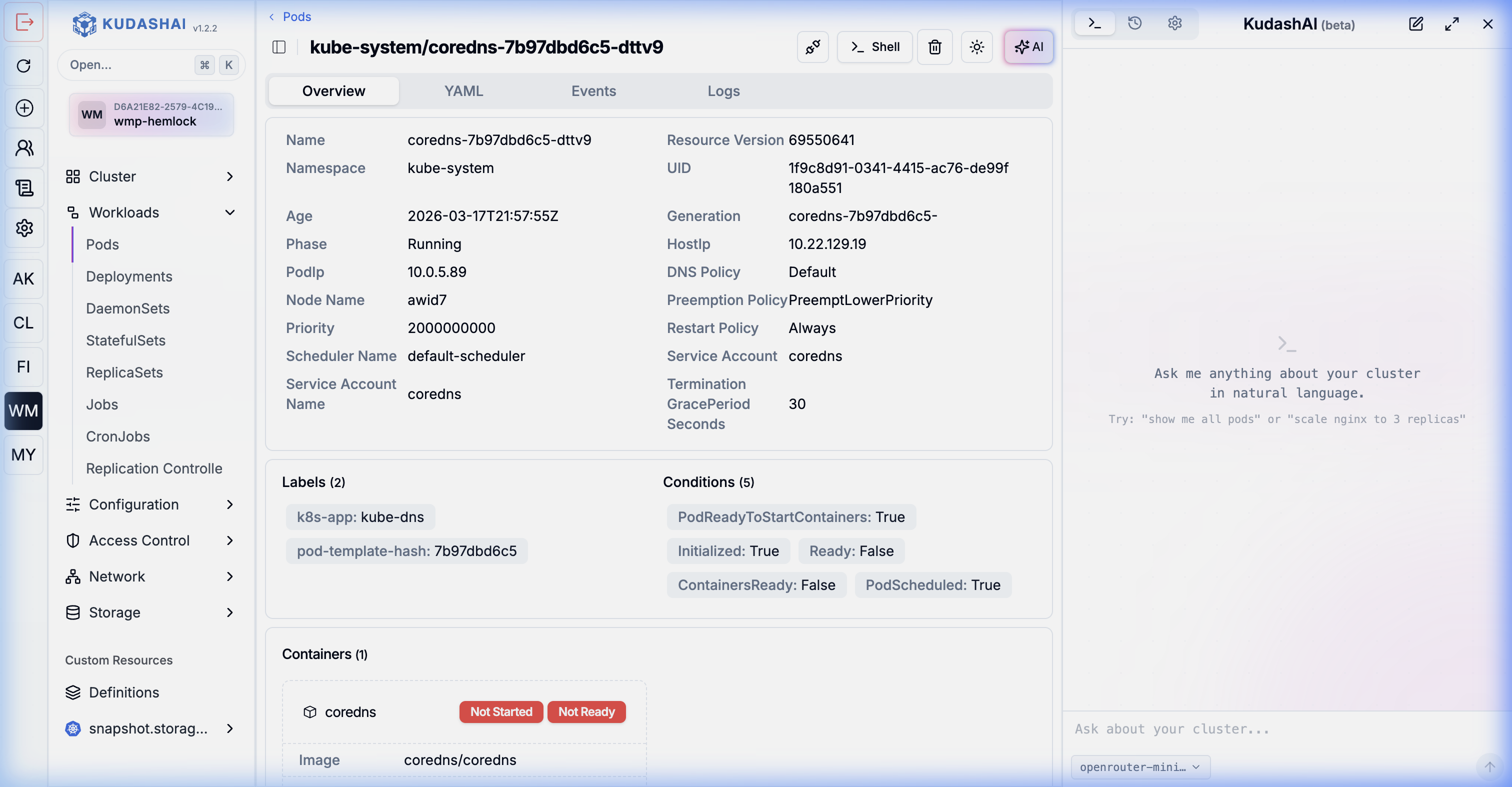
Dapatkan visibilitas mendalam dan nyata pada beban kerja Anda. Lihat log, jalankan perintah pod melalui terminal shell yang aman, periksa sumber daya YAML, dan jalankan operasi agen yang kompleks.
Detail Klaster & Pod Terpadu
Lihat status langsung, label, anotasi, peristiwa, dan konfigurasi kontainer untuk setiap jenis sumber daya Kubernetes di beberapa klaster dan namespace.
Terminal Shell & Log Tersemat
Masuk langsung ke dalam kontainer yang sedang berjalan dan pantau log langsung dengan aman. Jalankan perintah diagnostik dengan mudah tanpa perlu kubectl secara lokal.

Manage Kubernetes with AI Precision
KudashAI brings high-density data visualization and agentic automation together. Read the documentation or explore the underlying host OS with Vapor.